> ## Documentation Index
> Fetch the complete documentation index at: https://docs.valiyou.com/llms.txt
> Use this file to discover all available pages before exploring further.
# Settings - Valuations
> Configure default brand value indicators for new valuations. Set baseline values for popularity, CSR, culture, and loyalty metrics with consistent methodology.
# Valuation Settings & Brand Indicators
 **Plan Required**: Professional or Enterprise plan only
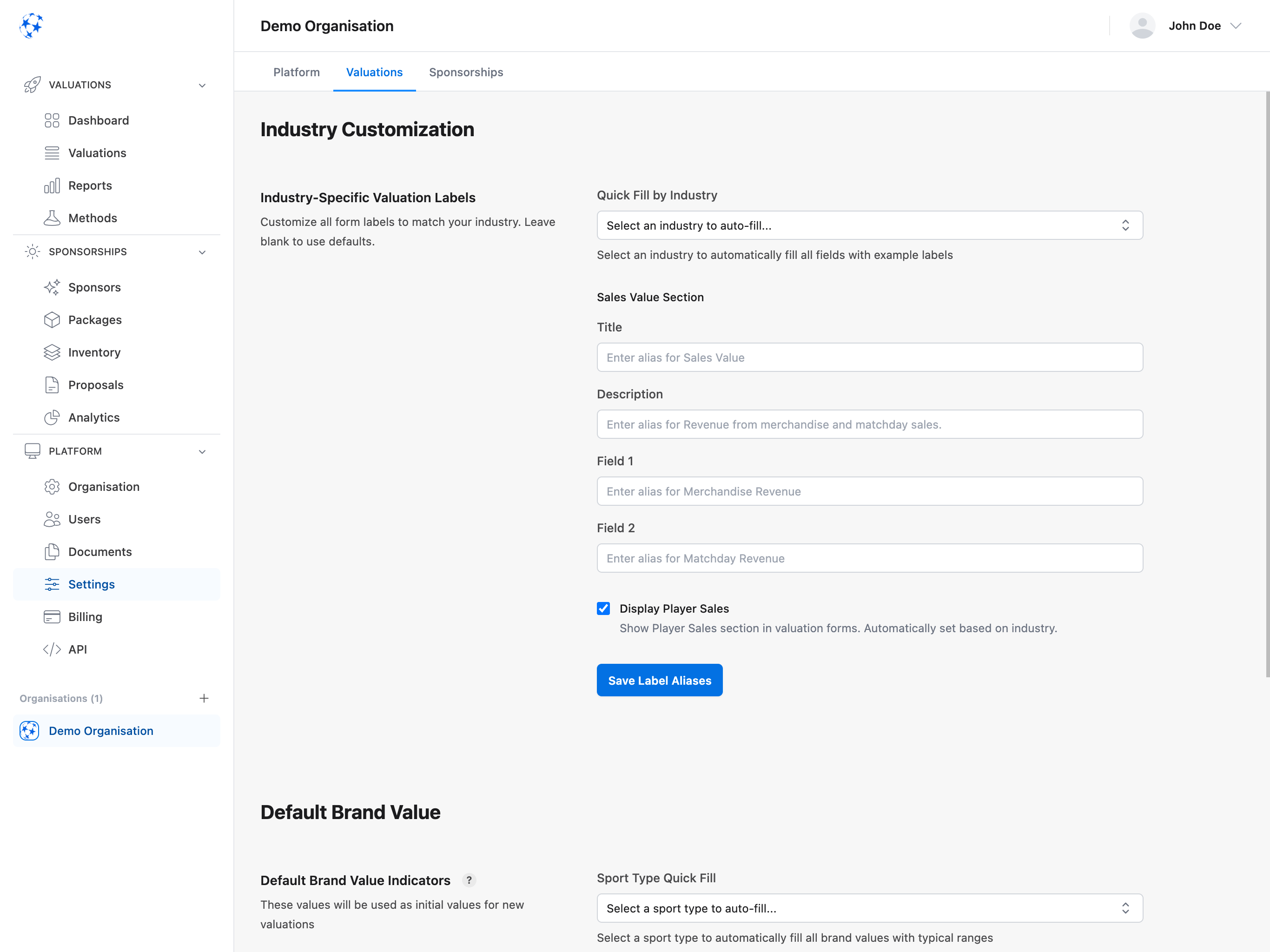
**The Valuations Settings tab allows Professional and Enterprise users to configure default brand value indicators (BVI) that are automatically applied to all new player valuations.** These default values ensure consistency across your team, save time when creating valuations, and establish your organization's baseline brand strength metrics. Set default values for popularity, CSR (Corporate Social Responsibility), culture, and loyalty on a 1-10 scale.
## Default Brand Value Indicators
**Plan Required**: Professional or Enterprise plan only
**The Valuations Settings tab allows Professional and Enterprise users to configure default brand value indicators (BVI) that are automatically applied to all new player valuations.** These default values ensure consistency across your team, save time when creating valuations, and establish your organization's baseline brand strength metrics. Set default values for popularity, CSR (Corporate Social Responsibility), culture, and loyalty on a 1-10 scale.
## Default Brand Value Indicators
 Set default values for brand indicators automatically applied to new valuations. These values ensure consistency across your team and save time when creating valuations.
**Brand Indicators** (1-10 scale):
### Popularity
Brand awareness and recognition
* How well-known is your brand?
* General public recognition
* Social media presence
* Media coverage frequency
### CSR (Corporate Social Responsibility)
Perception of social responsibility
* Community involvement
* Environmental initiatives
* Charity work and partnerships
* Ethical practices reputation
### Culture
Brand culture and identity strength
* Organizational values clarity
* Team cohesion
* Brand identity consistency
* Fan culture strength
### Loyalty
Fan and stakeholder loyalty
* Fan retention rate
* Repeat sponsor partnerships
* Season ticket holder percentage
* Community engagement
## Setting Default Values
1. Navigate to **Platform** → **Settings** → **Valuations** tab
2. Use sliders (1-10) for each indicator
3. Click **"Save Brand Values"** button
4. Values are applied to all new valuations
5. Can be overridden per individual valuation
**Industry Typical Ranges** (reference guide):
| Sport/Sector | Popularity | CSR | Culture | Loyalty |
| --------------------------- | ---------- | ---- | ------- | ------- |
| **Premier League Football** | 8-10 | 6-8 | 8-10 | 8-10 |
| **Championship Football** | 6-8 | 5-7 | 7-9 | 7-9 |
| **Basketball (Top League)** | 6-8 | 6-8 | 6-8 | 6-8 |
| **Tennis (Professional)** | 5-7 | 7-9 | 6-8 | 5-7 |
| **Motor Racing** | 7-9 | 5-7 | 7-9 | 8-10 |
| **Olympic Sports** | 4-6 | 8-10 | 8-10 | 6-8 |
| **Esports** | 6-8 | 4-6 | 7-9 | 8-10 |
**Tooltip Help**: Hover over the info icon (ℹ️) next to "Default Brand Indicators" title to see
industry-specific typical ranges while you adjust values.
**Consistency**: Setting defaults ensures all team members start with the same baseline values,
improving consistency across valuations.
## Benefits of Using Defaults
**Why Use Defaults?**:
* **Save Time**: Auto-populate brand values when creating new valuations
* **Consistency**: Ensure all team members use same baseline
* **Organizational Baseline**: Set your organization's typical brand strength
* **Flexibility**: Easy to override for specific valuations when needed
**Where Defaults Are Used**:
* New valuation creation form
* Copied valuations (initial values)
* Bulk valuation imports
* API-created valuations
## Permission Requirements
**Plan & Permission Required**: - Professional or Enterprise plan subscription - "Settings"
permission to access and edit If you don't see the Valuations tab, upgrade your plan or contact
your admin.
## Common Use Cases
### Initial Setup After Upgrade
1. Upgrade to Professional or Enterprise plan
2. Navigate to **Platform** → **Settings** → **Valuations** tab
3. Research your industry's typical brand values (see table above)
4. Set appropriate default values using sliders
5. Click "Save Brand Values"
6. Create test valuation to verify defaults apply
### Adjusting Defaults Based on Growth
**Scenario**: Your organization's brand strength has improved over the year.
1. Open **Platform** → **Settings** → **Valuations** tab
2. Review current default values
3. Increase relevant indicators (e.g., Popularity from 6 to 7)
4. Click "Save Brand Values"
5. **Note**: Only affects new valuations, not existing ones
6. Inform team about updated baseline
### Setting Sector-Specific Defaults
**Example**: Basketball club setting defaults
1. Navigate to **Settings** → **Valuations** tab
2. Refer to industry table: Basketball (Top League)
3. Set values:
* Popularity: 7
* CSR: 7
* Culture: 7
* Loyalty: 7
4. Click "Save Brand Values"
5. All new valuations start with these values
## Troubleshooting
### Valuations Tab Not Visible
**Reasons**:
* On Starter plan (not included)
* No Settings permission
* Browser cache issue
**Fix**:
* Upgrade to Professional or Enterprise plan
* Request Settings permission from admin
* Clear browser cache and refresh
### Default Values Not Applying to New Valuations
**Check**:
* Values saved successfully (confirmation message appeared)
* Creating truly new valuation (not copying old one)
* Using latest version of platform
**Try**:
* Re-save default values
* Refresh browser
* Create valuation from scratch (don't copy existing)
* Contact support if issue persists
### Can't Save Brand Values
**Reasons**:
* Demo mode active (saves blocked)
* Network connection issue
* No Settings permission
**Fix**:
* Exit demo mode (not available in demo accounts)
* Check internet connection
* Verify Settings permission
* Try again after refreshing page
## Frequently Asked Questions
Brand Value Indicators (BVI) are four key metrics used in player and athlete valuations: Popularity (brand awareness), CSR (corporate social responsibility perception), Culture (brand identity strength), and Loyalty (fan and stakeholder retention). These indicators are rated on a 1-10 scale and influence valuation calculations by reflecting an organization's brand strength and market position.
Default BVI settings ensure all team members start with the same baseline brand values when
creating new valuations. This eliminates inconsistencies that occur when different users estimate
brand indicators differently. By establishing organizational defaults, you create standardized
valuation methodology while still allowing flexibility to override values for specific players or
situations.
Valuation settings are available on both Professional and Enterprise plans. These plans include
access to default brand value indicators configuration, the ability to set baseline metrics for
popularity, CSR, culture, and loyalty, automatic application of defaults to new valuations, and
industry-specific reference ranges for different sports sectors. Starter plan users do not have
access to valuation settings.
Use the industry typical ranges table as a starting point. For example, Premier League Football
clubs typically rate 8-10 for popularity and loyalty, while Championship Football clubs rate 6-8.
Consider your social media presence, media coverage, community involvement, fan retention rates,
and season ticket holder percentages. You can also benchmark against similar organizations in your
sport or league.
Yes, default brand values serve as starting points but can be customized for each individual
valuation. When creating or editing a valuation, you can adjust the popularity, CSR, culture, and
loyalty sliders to reflect that specific player's unique situation. Defaults simply save time by
pre-populating these fields with your organization's typical baseline values.
Popularity measures how well-known your brand is to the general public, including social media
presence and media coverage frequency. Loyalty measures how committed your existing fans and
stakeholders are, including fan retention rates, repeat sponsorships, and season ticket holder
percentages. A brand can have high popularity but low loyalty, or vice versa.
Review and update default brand indicators at least annually, or whenever significant brand
changes occur such as promotion to a higher league, major sponsorship deals, championship wins,
successful community initiatives, or measurable increases in social media following. Updating
defaults ensures new valuations reflect your current brand strength rather than outdated baseline
metrics.
No, changing default brand value indicators only affects new valuations created after the change.
Existing valuations retain their original BVI values and are not automatically updated. This
prevents historical data from being altered and maintains the integrity of past valuation records.
If you want to update existing valuations, you must edit them individually.
Consider your organization's community involvement programs, environmental sustainability
initiatives, charity partnerships, ethical labor practices, diversity and inclusion efforts, youth
development programs, and overall reputation for social good. Higher CSR values (7-10) indicate
strong community engagement and responsible practices, while lower values (1-4) suggest minimal
social responsibility focus.
Culture measures how strong and consistent your brand identity is, including organizational values clarity, team cohesion, brand consistency across touchpoints, and fan culture strength. A strong culture (8-10) creates more valuable sponsorship opportunities and player associations because the brand represents clear, positive values. Weak culture (1-4) may reduce brand equity in valuation calculations.
Set default values for brand indicators automatically applied to new valuations. These values ensure consistency across your team and save time when creating valuations.
**Brand Indicators** (1-10 scale):
### Popularity
Brand awareness and recognition
* How well-known is your brand?
* General public recognition
* Social media presence
* Media coverage frequency
### CSR (Corporate Social Responsibility)
Perception of social responsibility
* Community involvement
* Environmental initiatives
* Charity work and partnerships
* Ethical practices reputation
### Culture
Brand culture and identity strength
* Organizational values clarity
* Team cohesion
* Brand identity consistency
* Fan culture strength
### Loyalty
Fan and stakeholder loyalty
* Fan retention rate
* Repeat sponsor partnerships
* Season ticket holder percentage
* Community engagement
## Setting Default Values
1. Navigate to **Platform** → **Settings** → **Valuations** tab
2. Use sliders (1-10) for each indicator
3. Click **"Save Brand Values"** button
4. Values are applied to all new valuations
5. Can be overridden per individual valuation
**Industry Typical Ranges** (reference guide):
| Sport/Sector | Popularity | CSR | Culture | Loyalty |
| --------------------------- | ---------- | ---- | ------- | ------- |
| **Premier League Football** | 8-10 | 6-8 | 8-10 | 8-10 |
| **Championship Football** | 6-8 | 5-7 | 7-9 | 7-9 |
| **Basketball (Top League)** | 6-8 | 6-8 | 6-8 | 6-8 |
| **Tennis (Professional)** | 5-7 | 7-9 | 6-8 | 5-7 |
| **Motor Racing** | 7-9 | 5-7 | 7-9 | 8-10 |
| **Olympic Sports** | 4-6 | 8-10 | 8-10 | 6-8 |
| **Esports** | 6-8 | 4-6 | 7-9 | 8-10 |
**Tooltip Help**: Hover over the info icon (ℹ️) next to "Default Brand Indicators" title to see
industry-specific typical ranges while you adjust values.
**Consistency**: Setting defaults ensures all team members start with the same baseline values,
improving consistency across valuations.
## Benefits of Using Defaults
**Why Use Defaults?**:
* **Save Time**: Auto-populate brand values when creating new valuations
* **Consistency**: Ensure all team members use same baseline
* **Organizational Baseline**: Set your organization's typical brand strength
* **Flexibility**: Easy to override for specific valuations when needed
**Where Defaults Are Used**:
* New valuation creation form
* Copied valuations (initial values)
* Bulk valuation imports
* API-created valuations
## Permission Requirements
**Plan & Permission Required**: - Professional or Enterprise plan subscription - "Settings"
permission to access and edit If you don't see the Valuations tab, upgrade your plan or contact
your admin.
## Common Use Cases
### Initial Setup After Upgrade
1. Upgrade to Professional or Enterprise plan
2. Navigate to **Platform** → **Settings** → **Valuations** tab
3. Research your industry's typical brand values (see table above)
4. Set appropriate default values using sliders
5. Click "Save Brand Values"
6. Create test valuation to verify defaults apply
### Adjusting Defaults Based on Growth
**Scenario**: Your organization's brand strength has improved over the year.
1. Open **Platform** → **Settings** → **Valuations** tab
2. Review current default values
3. Increase relevant indicators (e.g., Popularity from 6 to 7)
4. Click "Save Brand Values"
5. **Note**: Only affects new valuations, not existing ones
6. Inform team about updated baseline
### Setting Sector-Specific Defaults
**Example**: Basketball club setting defaults
1. Navigate to **Settings** → **Valuations** tab
2. Refer to industry table: Basketball (Top League)
3. Set values:
* Popularity: 7
* CSR: 7
* Culture: 7
* Loyalty: 7
4. Click "Save Brand Values"
5. All new valuations start with these values
## Troubleshooting
### Valuations Tab Not Visible
**Reasons**:
* On Starter plan (not included)
* No Settings permission
* Browser cache issue
**Fix**:
* Upgrade to Professional or Enterprise plan
* Request Settings permission from admin
* Clear browser cache and refresh
### Default Values Not Applying to New Valuations
**Check**:
* Values saved successfully (confirmation message appeared)
* Creating truly new valuation (not copying old one)
* Using latest version of platform
**Try**:
* Re-save default values
* Refresh browser
* Create valuation from scratch (don't copy existing)
* Contact support if issue persists
### Can't Save Brand Values
**Reasons**:
* Demo mode active (saves blocked)
* Network connection issue
* No Settings permission
**Fix**:
* Exit demo mode (not available in demo accounts)
* Check internet connection
* Verify Settings permission
* Try again after refreshing page
## Frequently Asked Questions
Brand Value Indicators (BVI) are four key metrics used in player and athlete valuations: Popularity (brand awareness), CSR (corporate social responsibility perception), Culture (brand identity strength), and Loyalty (fan and stakeholder retention). These indicators are rated on a 1-10 scale and influence valuation calculations by reflecting an organization's brand strength and market position.
Default BVI settings ensure all team members start with the same baseline brand values when
creating new valuations. This eliminates inconsistencies that occur when different users estimate
brand indicators differently. By establishing organizational defaults, you create standardized
valuation methodology while still allowing flexibility to override values for specific players or
situations.
Valuation settings are available on both Professional and Enterprise plans. These plans include
access to default brand value indicators configuration, the ability to set baseline metrics for
popularity, CSR, culture, and loyalty, automatic application of defaults to new valuations, and
industry-specific reference ranges for different sports sectors. Starter plan users do not have
access to valuation settings.
Use the industry typical ranges table as a starting point. For example, Premier League Football
clubs typically rate 8-10 for popularity and loyalty, while Championship Football clubs rate 6-8.
Consider your social media presence, media coverage, community involvement, fan retention rates,
and season ticket holder percentages. You can also benchmark against similar organizations in your
sport or league.
Yes, default brand values serve as starting points but can be customized for each individual
valuation. When creating or editing a valuation, you can adjust the popularity, CSR, culture, and
loyalty sliders to reflect that specific player's unique situation. Defaults simply save time by
pre-populating these fields with your organization's typical baseline values.
Popularity measures how well-known your brand is to the general public, including social media
presence and media coverage frequency. Loyalty measures how committed your existing fans and
stakeholders are, including fan retention rates, repeat sponsorships, and season ticket holder
percentages. A brand can have high popularity but low loyalty, or vice versa.
Review and update default brand indicators at least annually, or whenever significant brand
changes occur such as promotion to a higher league, major sponsorship deals, championship wins,
successful community initiatives, or measurable increases in social media following. Updating
defaults ensures new valuations reflect your current brand strength rather than outdated baseline
metrics.
No, changing default brand value indicators only affects new valuations created after the change.
Existing valuations retain their original BVI values and are not automatically updated. This
prevents historical data from being altered and maintains the integrity of past valuation records.
If you want to update existing valuations, you must edit them individually.
Consider your organization's community involvement programs, environmental sustainability
initiatives, charity partnerships, ethical labor practices, diversity and inclusion efforts, youth
development programs, and overall reputation for social good. Higher CSR values (7-10) indicate
strong community engagement and responsible practices, while lower values (1-4) suggest minimal
social responsibility focus.
Culture measures how strong and consistent your brand identity is, including organizational values clarity, team cohesion, brand consistency across touchpoints, and fan culture strength. A strong culture (8-10) creates more valuable sponsorship opportunities and player associations because the brand represents clear, positive values. Weak culture (1-4) may reduce brand equity in valuation calculations.