> ## Documentation Index
> Fetch the complete documentation index at: https://docs.valiyou.com/llms.txt
> Use this file to discover all available pages before exploring further.
# SSO
> Configure Enterprise Single Sign-On with SAML, OAuth, and OpenID Connect
 **Plan Required**: Enterprise plan only
**Permission Required**: Admin or SSO management permission
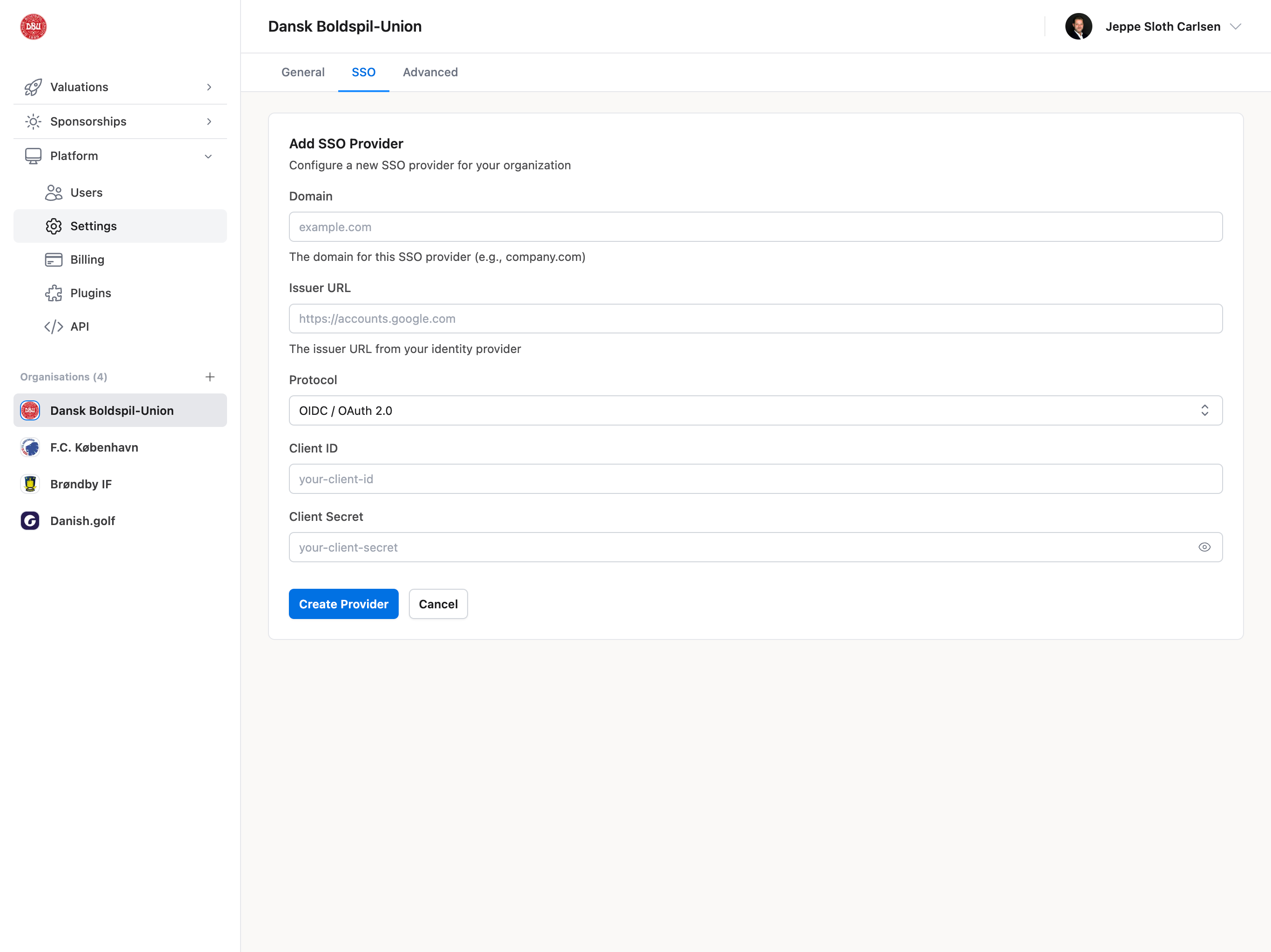
Configure Enterprise Single Sign-On (SSO) for your organization, allowing team members to log in using your organization's identity provider.
## Supported Protocols
* **SAML 2.0** - Industry-standard authentication protocol
* **OAuth 2.0** - Modern authorization protocol
* **OpenID Connect** - Identity layer built on OAuth 2.0
## Supported Identity Providers
* Okta
* Azure Active Directory (Microsoft Entra ID)
* Google Workspace
* OneLogin
* Auth0
* Custom SAML/OAuth providers
## SSO Configuration Fields
* Provider type selection
* Entity ID / Issuer URL
* SSO URL / Login URL
* Certificate upload (X.509)
* Attribute mapping
* JIT (Just-In-Time) provisioning toggle
## Benefits of SSO
* Single set of credentials for all tools
* Centralized user management
* Enhanced security (MFA, conditional access)
* Simplified onboarding/offboarding
* Compliance with corporate policies
**Contact Support**: SSO configuration requires technical setup. Contact [support@valiyou.com](mailto:support@valiyou.com) for assistance with SSO setup and testing.
## SSO Login Flow
1. User clicks "Sign in with SSO" on login page
2. Redirected to identity provider
3. Authenticates with corporate credentials
4. Redirected back to Valiyou with session
5. Automatically logged in (or account created via JIT)
## Common Use Cases
### Enabling SSO for Team (Enterprise)
1. Contact [support@valiyou.com](mailto:support@valiyou.com) to begin SSO setup
2. Provide identity provider details
3. Work with support to configure SAML/OAuth
4. Test SSO login with admin account
5. Enable JIT provisioning (optional)
6. Roll out SSO to team
7. Communicate SSO login instructions
## Troubleshooting
### SSO Not Working
**Common Issues**:
* Incorrect Entity ID or SSO URL
* Certificate expired or invalid
* Attribute mapping incorrect
* JIT provisioning disabled
**Solution**:
* Contact [support@valiyou.com](mailto:support@valiyou.com) for SSO troubleshooting
* Verify identity provider configuration
* Test with admin account first
* Check browser console for errors
**Plan Required**: Enterprise plan only
**Permission Required**: Admin or SSO management permission
Configure Enterprise Single Sign-On (SSO) for your organization, allowing team members to log in using your organization's identity provider.
## Supported Protocols
* **SAML 2.0** - Industry-standard authentication protocol
* **OAuth 2.0** - Modern authorization protocol
* **OpenID Connect** - Identity layer built on OAuth 2.0
## Supported Identity Providers
* Okta
* Azure Active Directory (Microsoft Entra ID)
* Google Workspace
* OneLogin
* Auth0
* Custom SAML/OAuth providers
## SSO Configuration Fields
* Provider type selection
* Entity ID / Issuer URL
* SSO URL / Login URL
* Certificate upload (X.509)
* Attribute mapping
* JIT (Just-In-Time) provisioning toggle
## Benefits of SSO
* Single set of credentials for all tools
* Centralized user management
* Enhanced security (MFA, conditional access)
* Simplified onboarding/offboarding
* Compliance with corporate policies
**Contact Support**: SSO configuration requires technical setup. Contact [support@valiyou.com](mailto:support@valiyou.com) for assistance with SSO setup and testing.
## SSO Login Flow
1. User clicks "Sign in with SSO" on login page
2. Redirected to identity provider
3. Authenticates with corporate credentials
4. Redirected back to Valiyou with session
5. Automatically logged in (or account created via JIT)
## Common Use Cases
### Enabling SSO for Team (Enterprise)
1. Contact [support@valiyou.com](mailto:support@valiyou.com) to begin SSO setup
2. Provide identity provider details
3. Work with support to configure SAML/OAuth
4. Test SSO login with admin account
5. Enable JIT provisioning (optional)
6. Roll out SSO to team
7. Communicate SSO login instructions
## Troubleshooting
### SSO Not Working
**Common Issues**:
* Incorrect Entity ID or SSO URL
* Certificate expired or invalid
* Attribute mapping incorrect
* JIT provisioning disabled
**Solution**:
* Contact [support@valiyou.com](mailto:support@valiyou.com) for SSO troubleshooting
* Verify identity provider configuration
* Test with admin account first
* Check browser console for errors