

.png?fit=max&auto=format&n=HPNv9aZ-ac6qmbzI&q=85&s=1778f87f6a665da9a7db721d27429a19)
Verification Process
After Sign Up
- Complete sign-up form
- See “Check your email” confirmation page
- Open email from Valiyou (
support@valiyou.com) - Subject: “Verify your email address for Valiyou”
- Click “Verify Email” button
- Redirected to Valiyou with confirmed account
- Ready to log in
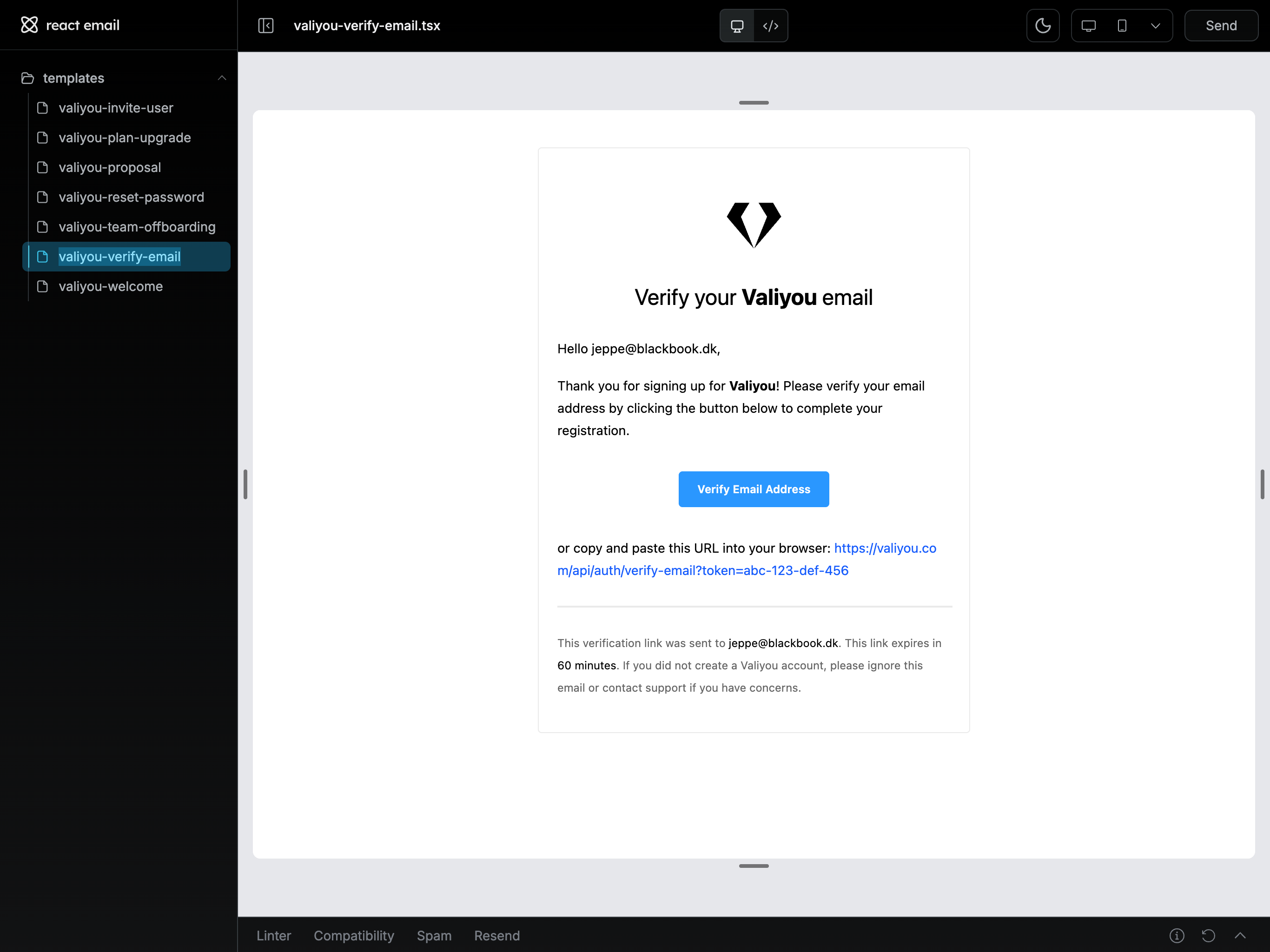
Verification Link: Valid for 24 hours. Request new email if expired.
What the Email Contains
The verification email includes:- Your email address - Confirms recipient
- Verify button - One-click verification
- Backup link - Manual copy-paste option
- Expiration notice - 24-hour validity
- Support contact - Help if issues arise
Verification States
Already Verified
Page: “Check your email” When Shown:- Just completed sign-up
- Waiting for verification
- Haven’t clicked verification link yet
Successfully Verified
Page: Automatically redirected to login When Shown:- Clicked verification link
- Email confirmed successfully
- Account activated
Verification Expired
Error: “Verification link has expired” When Shown:- More than 24 hours since sign-up
- Verification link no longer valid
Troubleshooting
Email Not Received
Common Causes:- Spam folder - Check junk/spam folders (most common)
- Wrong email - Verify email address during sign-up
- Delay - Can take 1-5 minutes to arrive
- Email filters - Overly aggressive spam filters
- Check spam - Look in spam, junk, promotions folders
- Wait - Give it 5-10 minutes
- Whitelist sender - Add
support@valiyou.comto contacts - Check email - Verify you used correct address
- Contact support - Request manual verification
Link Already Used
Error: “This verification link has already been used” Cause: Already verified your email Solution: Go to login page and sign in normally.Invalid Link
Error: “Invalid verification link” Causes:- Link corrupted (email client reformatted it)
- Link incomplete (didn’t copy full URL)
- Link tampered with
- Click link directly from email (don’t copy-paste)
- If copying, ensure entire URL is copied
- Contact support for new verification email
Link Expired
Error: “Verification link has expired” Cause: More than 24 hours passed since sign-up Solution: Contact support via trust-center to request new verification email.Wrong Email Address
Issue: Signed up with wrong email, can’t access inbox Solutions:- Check all email accounts - Verify which one you used
- Contact support - Can update email address before verification
- Sign up again - Create new account with correct email
Social Sign-Up (No Verification)
If you signed up with social provider (Google, LinkedIn, Microsoft, Salesforce):- No verification needed ✅
- Email already verified by provider
- Immediate account activation
- Skip verification step entirely
Instant Access: Social sign-ups are ready to use immediately after account creation.
Security & Privacy
Why Verification Matters
- Proves ownership - Confirms you own the email
- Prevents spam - Stops fake account creation
- Account recovery - Enables password reset
- Security - Protects against unauthorized access
- Communication - Ensures you receive important updates
Verification Link Security
- Unique token - Each link is single-use
- Time-limited - Expires after 24 hours
- Encrypted - Secure HTTPS transmission
- No password - Never includes sensitive info
What We Never Do
- ❌ Ask for password in email
- ❌ Request payment info
- ❌ Include attachments
- ❌ Send verification from different domains
- ❌ Ask you to reply to email
Email Provider Tips
Gmail
- Check Spam folder
- Check Promotions tab
- Add
support@valiyou.comto contacts
Outlook/Microsoft
- Check Junk Email folder
- Add sender to Safe Senders list
- Check Focused/Other inbox tabs
Yahoo
- Check Spam folder
- Add to Contacts
- Check Promotions category
Corporate Email
- Contact IT if emails blocked
- Request whitelist for
support@valiyou.com - May need approval for external emails
Manual Verification Request
If you cannot find the verification email:- Contact support via trust-center
- Provide:
- Email address used for sign-up
- Date/time of registration
- Any error messages received
- Support will manually verify or resend email
Next Steps
Login
After verification, sign in to your account
Quick Start
Complete onboarding and explore platform
Troubleshooting
Still having issues? Contact support
Sign Up
Need to create a new account?