

Your AI Assistant
Every Valiyou user has an AI assistant built into the platform. Click the sparkle icon in the bottom-right corner of any page to open the chat.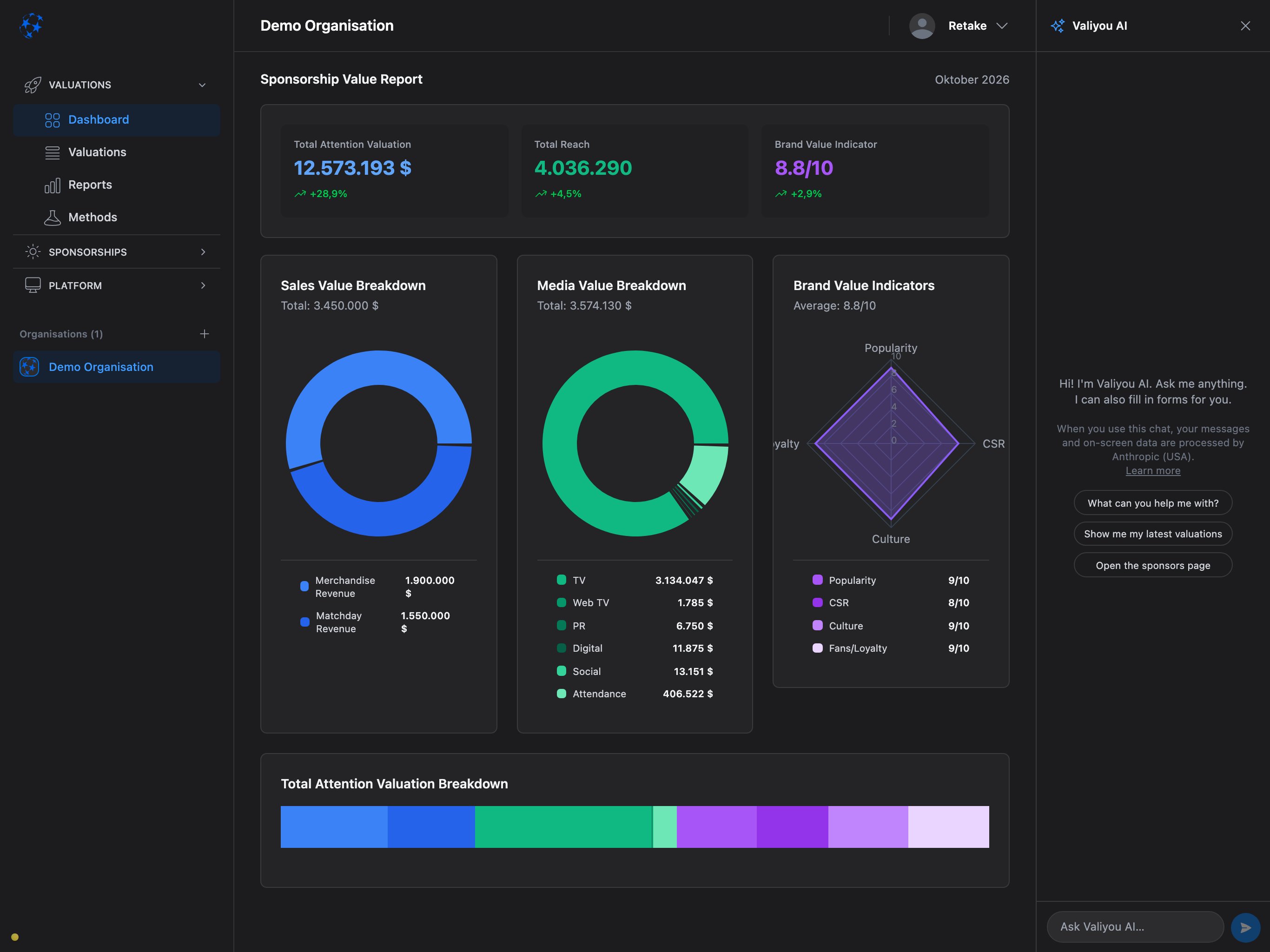
What the assistant can do
Answer questions
Ask about your valuations, sponsors, packages or inventory — the assistant looks up live data and answers in context.
Fill forms
Say “create a sponsor called Heineken” and the assistant opens the form and fills the fields. You
always press Save.
Navigate
Say “go to Reports” or “show me the latest valuation” and the assistant navigates for you.
Generate insights
On the Reports page, click “Get AI Key Insights” for automatic analysis of your selected valuations.
Example conversations
Here are things you can ask the assistant:Valuations
- “What is our total valuation?”
- “Compare the last two valuations”
- “How has our media value changed?”
- “What are our TV viewers for the latest valuation?”
Sponsors & Packages
- “Create a new sponsor called Nike”
- “How many sponsors do we have?”
- “What packages are in draft?”
- “Show me the Heineken sponsor page”
Reports & Insights
- “Go to Reports”
- “What does the brand multiplier mean?”
- “Explain the valuation methodology”
Navigation
- “Go to Settings”
- “Open the inventory”
- “Show me my profile”
How it works
- Click the sparkle icon in the bottom-right corner (or the chat panel header if already open)
- Type your question or instruction
- The assistant responds — it may look up data, navigate to a page, or open a form
- You stay in control — the assistant never saves, approves or sends anything without you pressing the button
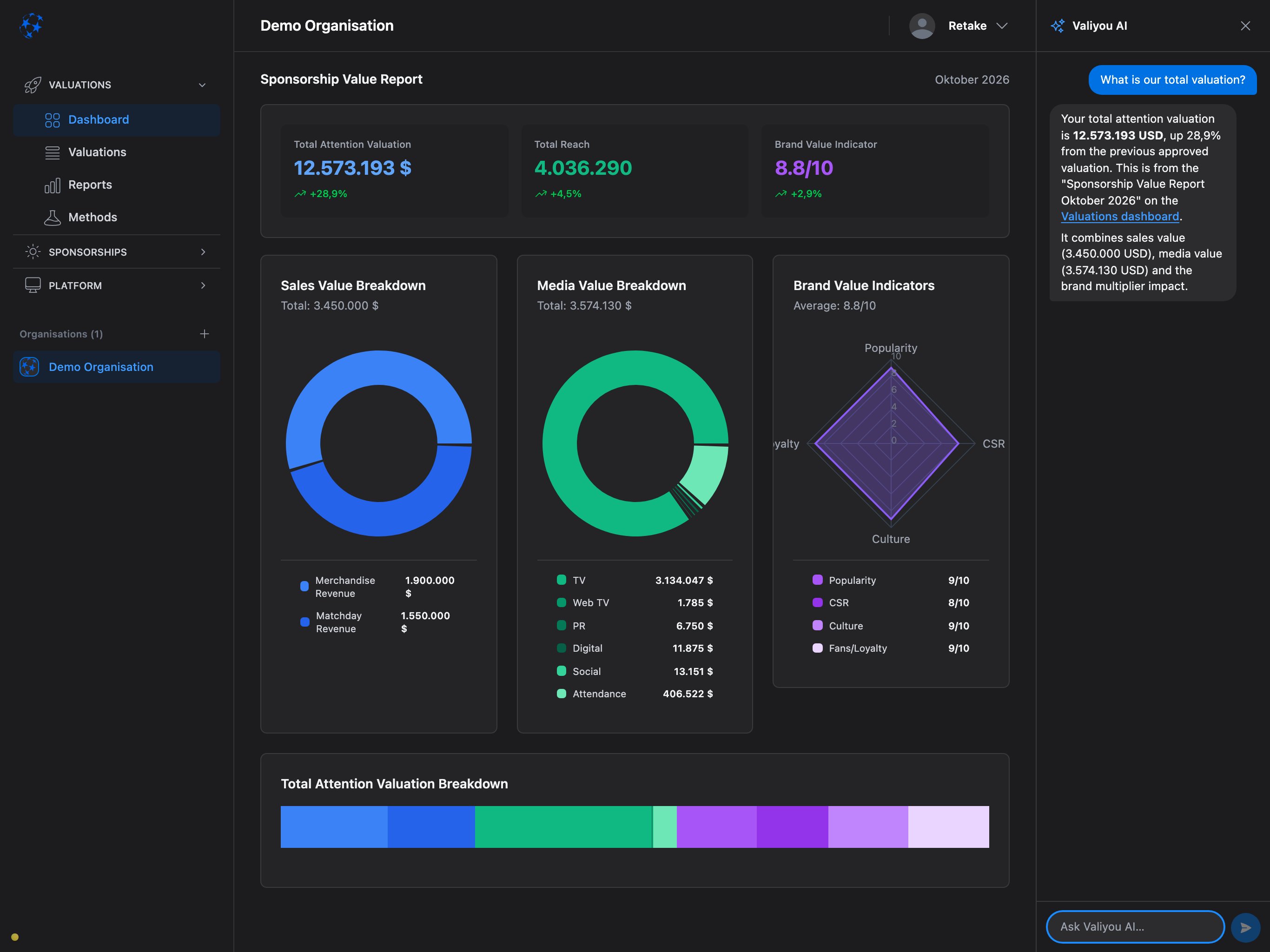
AI Key Insights on Reports
On the Reports page, select two or more valuations and click “Get AI Key Insights”. The assistant analyzes your data and generates 3–5 actionable insights about trends, patterns and recommendations.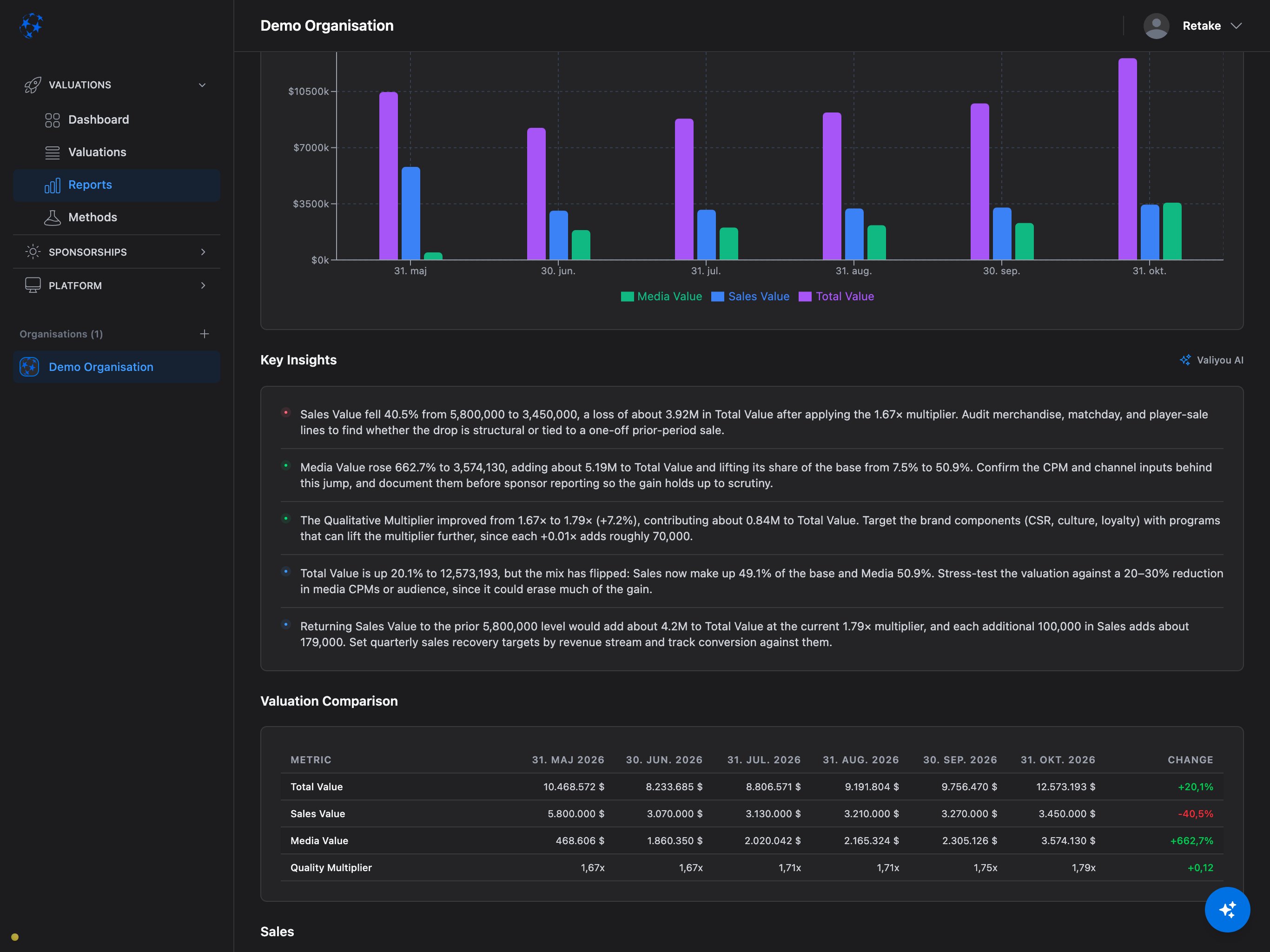
Privacy
- Messages and on-screen data are processed by Anthropic (USA)
- Anthropic does not use API data for model training
- Full details: Trust Center → Sub-Processors
- Organizations that need data to stay under their own data processing agreement can use Private AI Connection
Limits
- 100 AI operations per organization per day (shared between chat messages and Report insights)
- Organizations with Private AI Connection have no limit
- The assistant can read your data but cannot save, approve, send or delete anything — you always confirm
Frequently Asked Questions
Is the AI assistant available on all plans?
Is the AI assistant available on all plans?
Yes. Every plan includes the AI assistant and AI Key Insights on Reports. The daily limit of 100 operations applies to all plans on Valiyou’s built-in AI.
Can the assistant change my data?
Can the assistant change my data?
No. The assistant can open forms and fill fields, but you always press Save, Approve or Send. It
never makes changes without your confirmation.
Does the assistant know my organization's custom labels?
Does the assistant know my organization's custom labels?
Yes. If you renamed fields in Settings (e.g. “Sponsor” → “Brand”), the assistant uses your custom
terms automatically.
Can I use the assistant on mobile?
Can I use the assistant on mobile?
Yes. The chat panel works on mobile as a bottom sheet. Drag down to dismiss, tap the sparkle icon
to reopen. Your conversation is preserved.
What happens when we reach the daily limit?
What happens when we reach the daily limit?
You see a message asking to try again tomorrow. The limit resets 24 hours after the first
operation. Connect your own AI provider via Private AI Connection to remove the limit entirely.
Where is my data processed?
Where is my data processed?
Messages are processed by Anthropic in the USA. Anthropic does not use API data for model training. Organizations needing EU data residency can use Private AI Connection with a European AI provider (Azure OpenAI EU, Google Vertex EU, Mistral).
Next Steps
Reports & AI Insights
Generate AI-powered analysis of your valuations
Private AI Connection
Connect your own AI provider for data sovereignty
MCP Connection
Connect external AI assistants like Claude Desktop
Quick Start Guide
Get started with Valiyou in 5 minutes